
1
Open your profile
On the bottom bar tap your email address (e.g. support@polym.trade) — this opens your profile and wallet settings.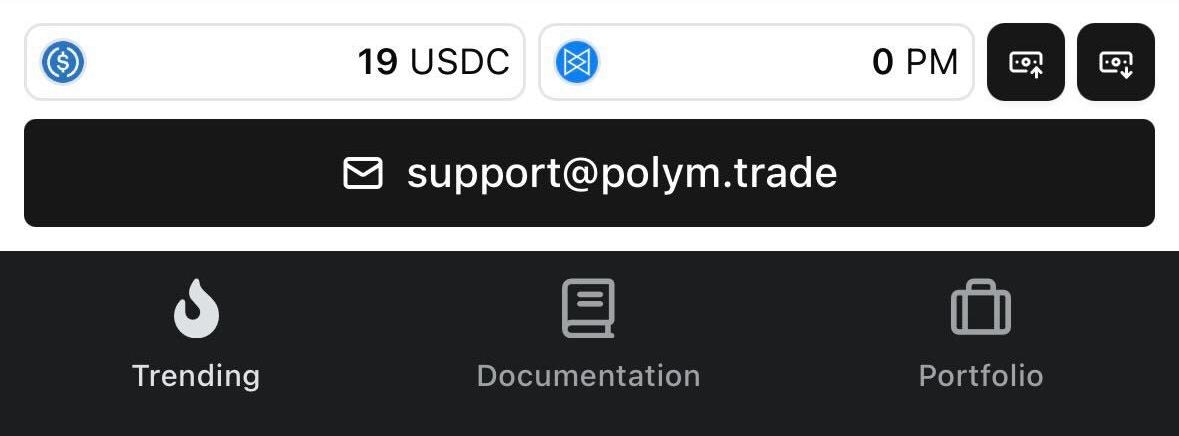
2
Go to linked wallets
Click Linked accounts to view all embedded wallets connected to your profile.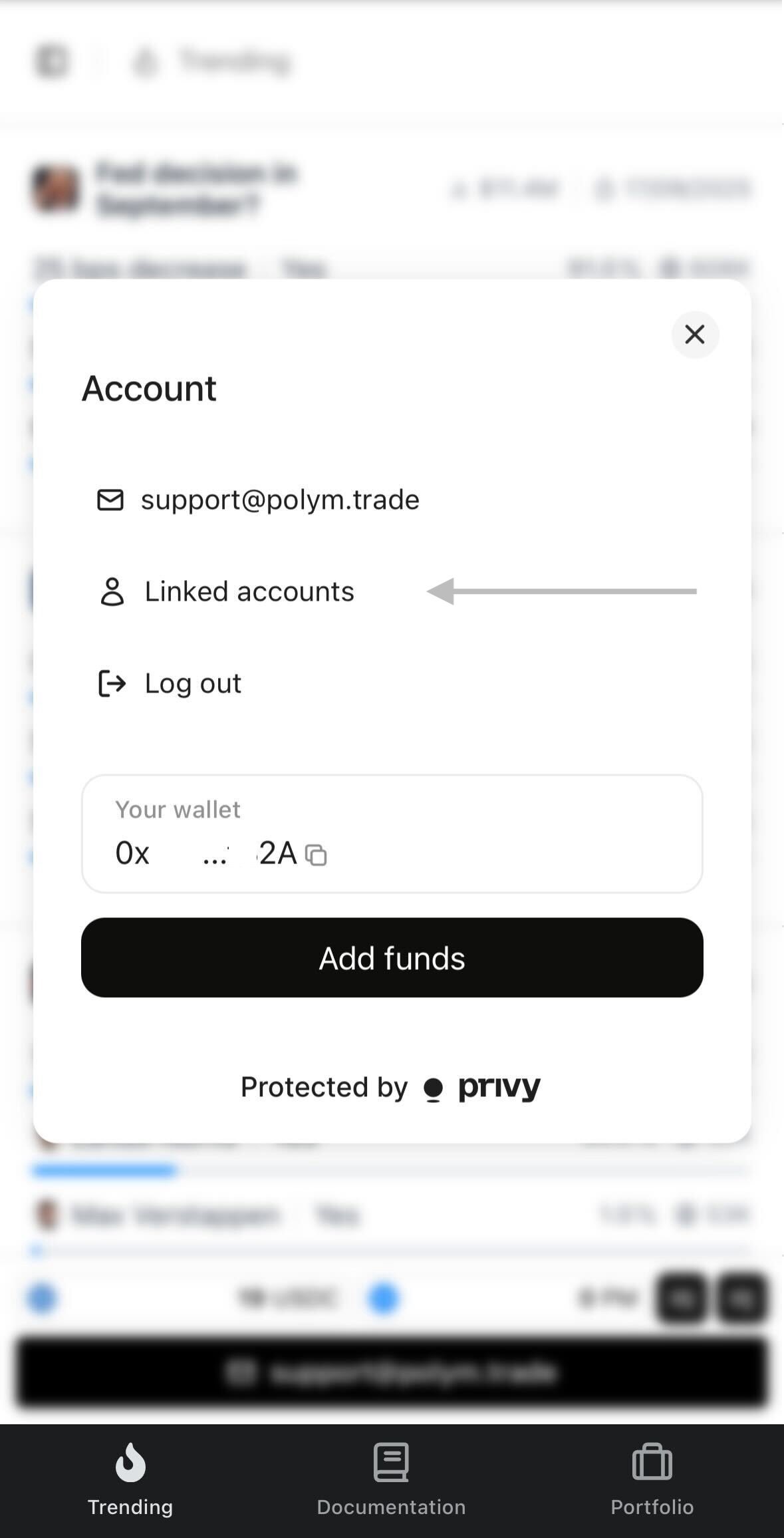
3
Choose wallet actions
Select the wallet you want to export → tap the menu → choose Wallet Actions.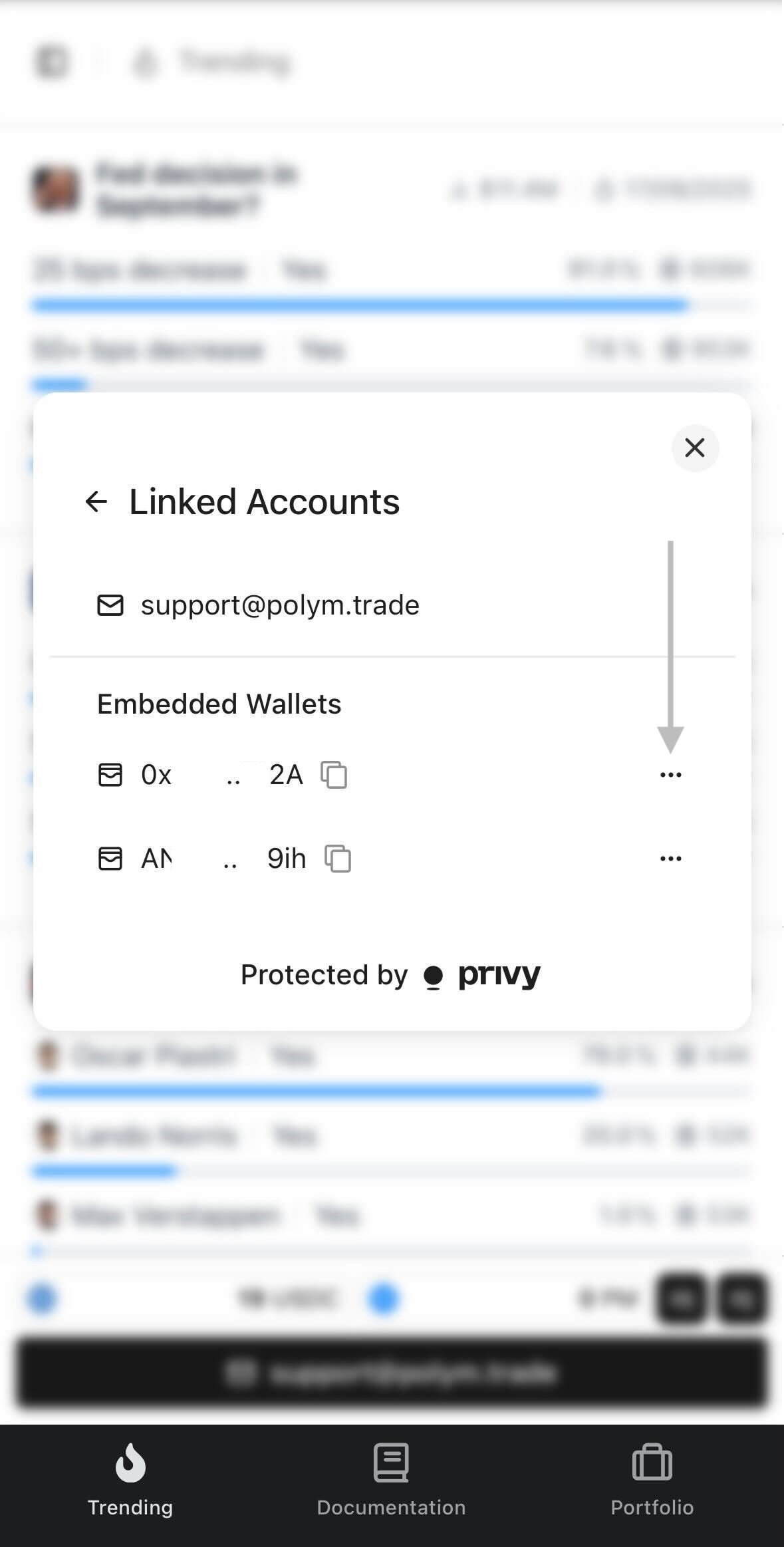
4
Export private key
Press Export private key. You’ll see the option to copy it.
5
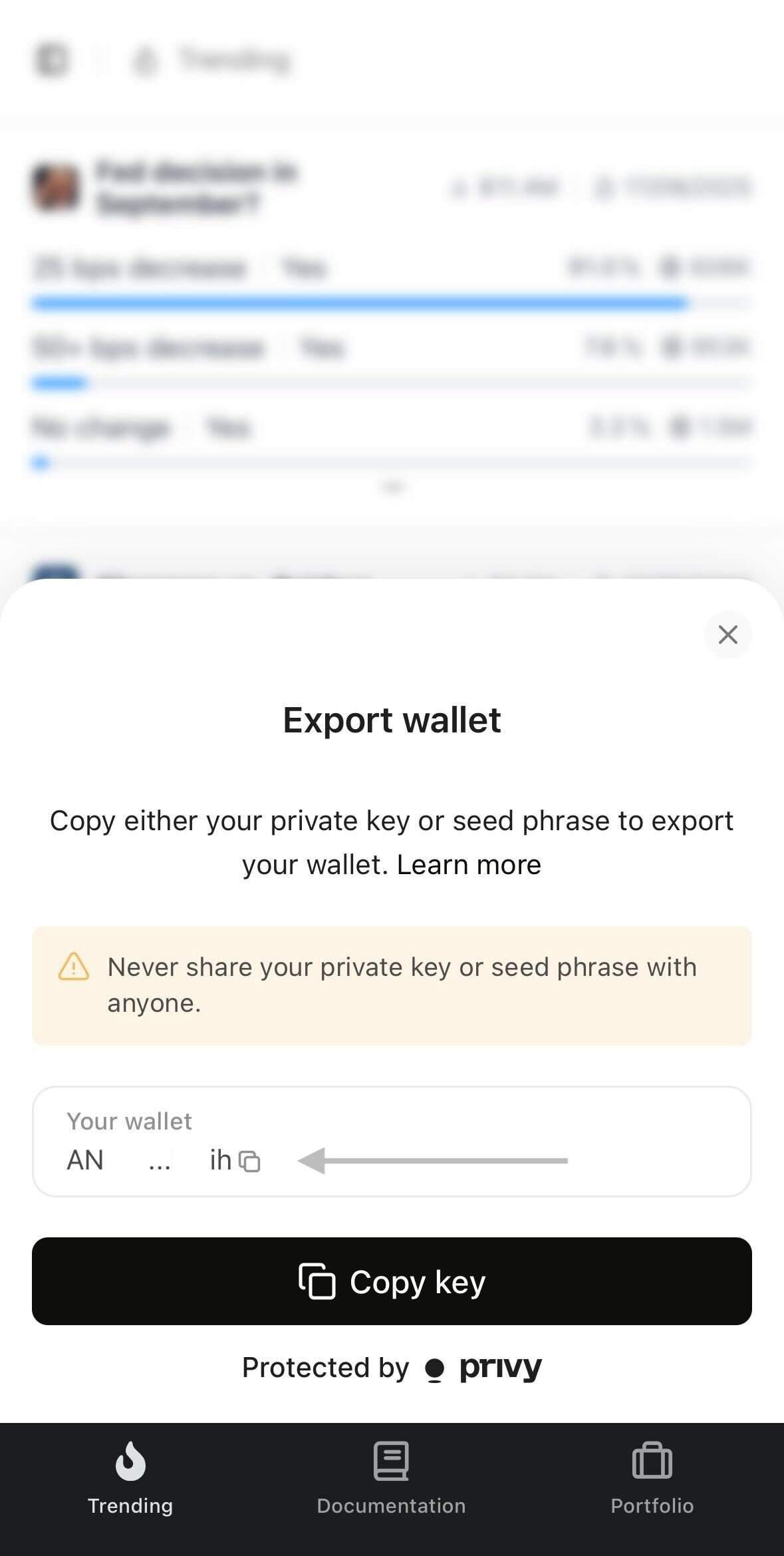
Copy and store securely
Tap Copy key to save it — make sure to keep it safe and never share it with anyone.