

Fund your Perps balance
Perps use a separate balance. Move at least 5 pUSD to it:- Add pUSD to your main balance by crypto or card.
- Open Perps from the bottom bar and tap Transfer on the balance card, or Fund Perps on a market page.
- In Transfer between accounts check that it reads From Predictions To Perps, enter the amount and tap Transfer.
You can move out only the Withdrawable amount. Margin for open positions and orders stays locked: close positions or cancel orders to free more.
Open a position
1
Pick a market
Open Perps and choose an asset in Stocks, Crypto, Indices, Commodities or Pre-IPO. The page shows the price, chart, funding and open interest.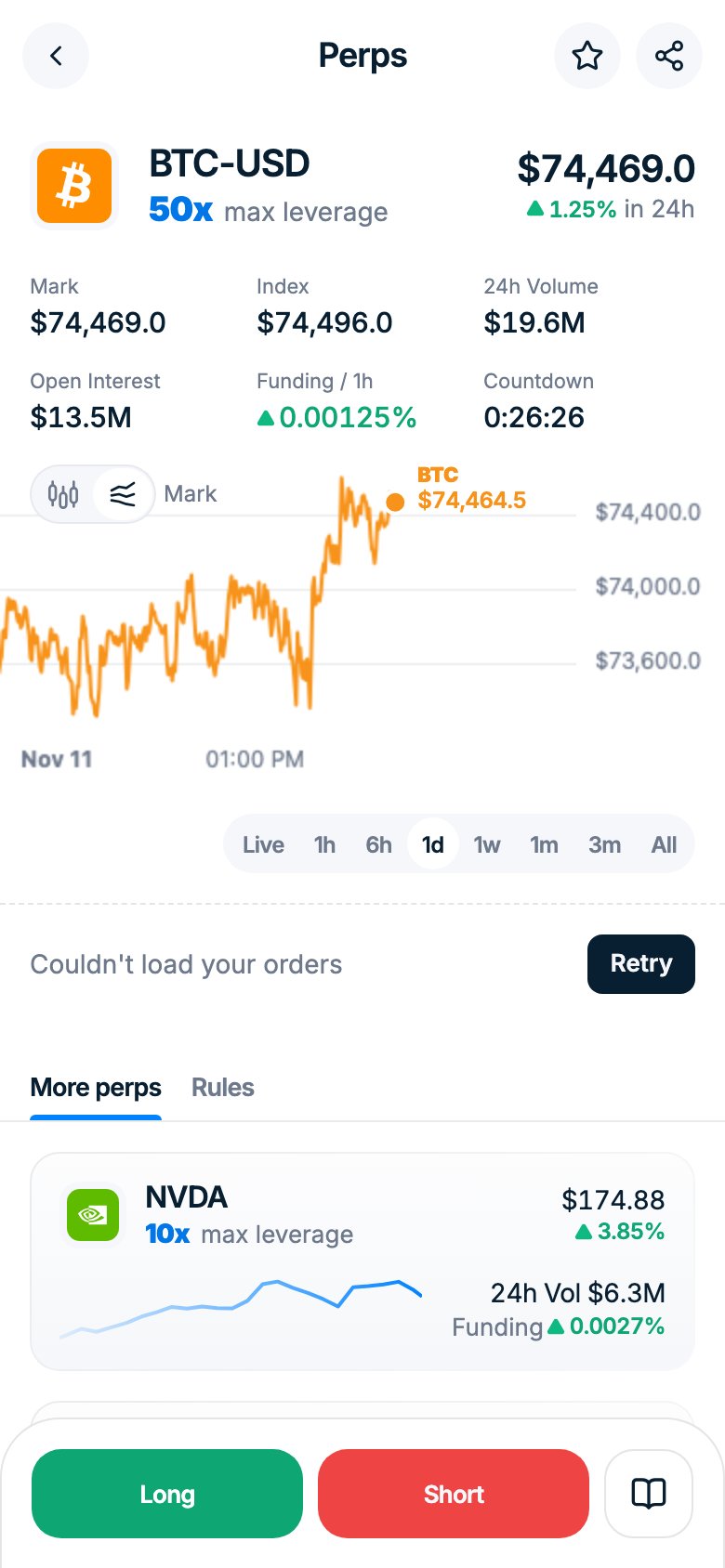
2
Choose Long or Short
Set the size and the Leverage, up to the maximum shown for the asset (up to 50x). The minimum order is $10 of position size (margin × leverage). The form shows the estimated liquidation price. With an empty Perps balance the form shows the steps to fund it first. Your first order asks you to accept the Perps terms.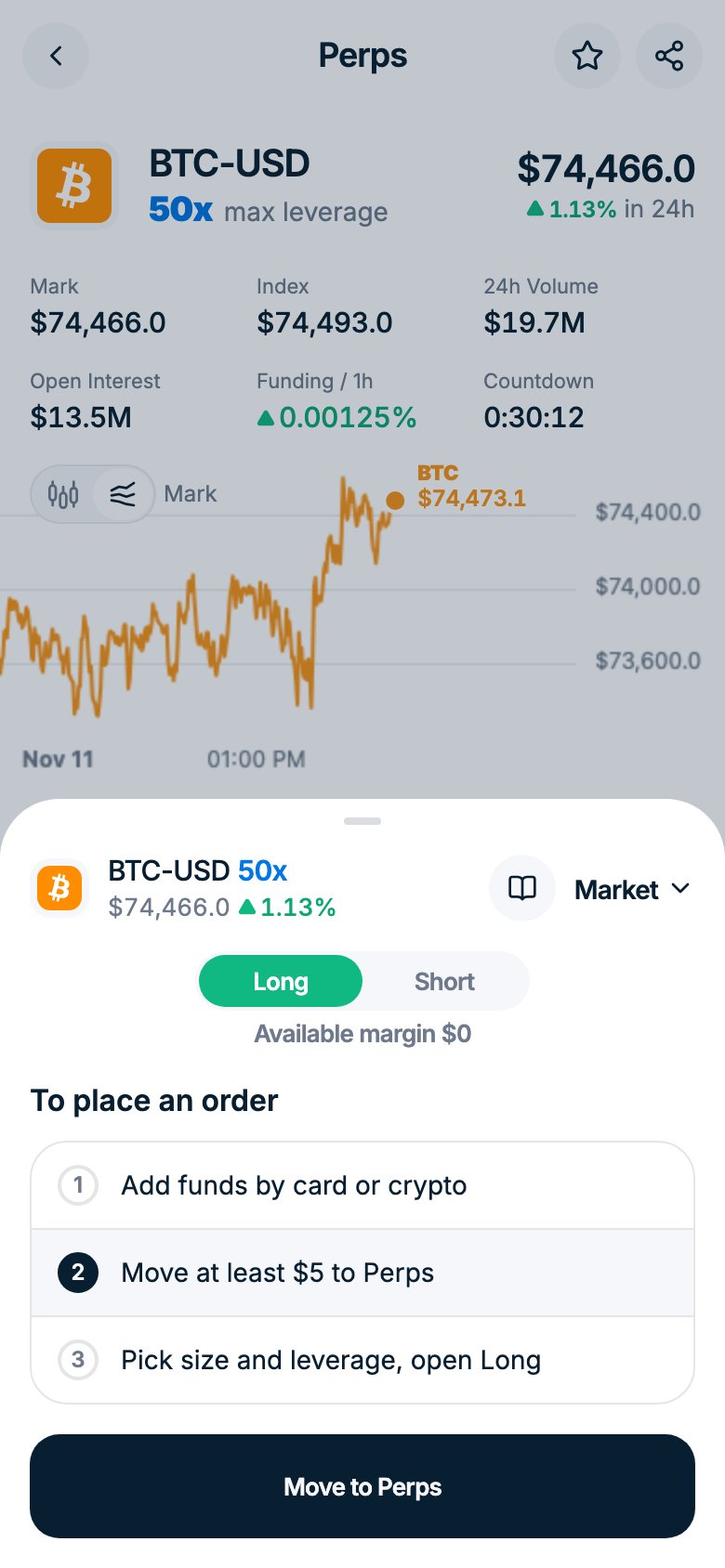
3
Add take profit and stop loss
Optional. Take profit closes the position at your target, Stop loss limits the loss. A stop loss beyond the liquidation price won’t save you: the position is liquidated first.