

Buy
1
Choose an outcome
On a market page tap Yes or No, or the outcome you want in a multi-outcome market.
2
Enter the amount
Type the amount on the keypad (erase the default $1 first) or tap 25%, 50%, 75% or Max of your cash. To win shows what you get if this outcome wins. With Max, the fee comes out of the amount, so you get slightly fewer shares than shown. The minimum trade is $1: below it the buy button turns grey. You need at least $1.10 in your balance because fees are added on top.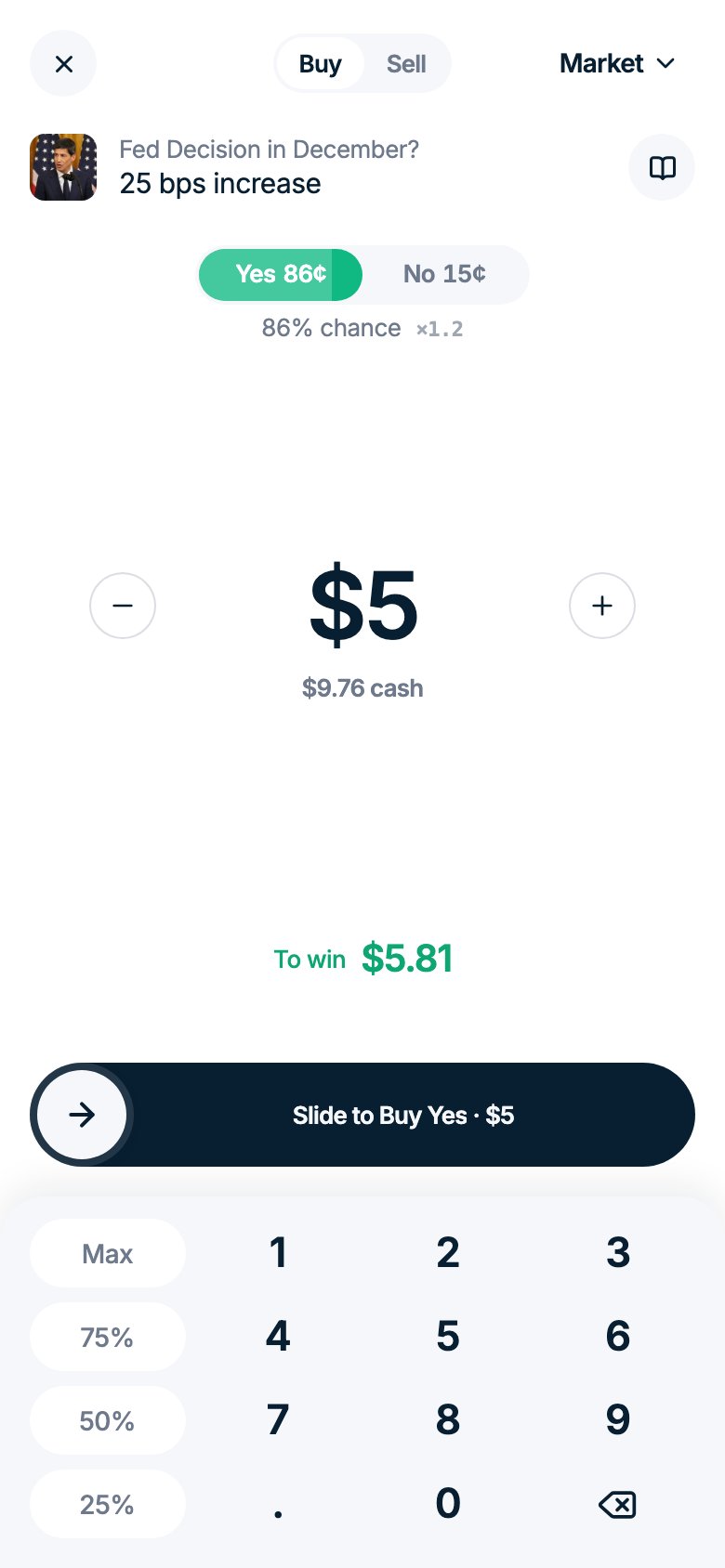
3
Confirm the buy
Tap the buy button to confirm. On a phone, an amount over a quarter of your cash needs a slide instead of a tap. Your shares appear in Portfolio right away.
If the price moves more than 5% while your order is in flight, the order is cancelled and nothing is charged. You’ll see Price changed with the new price to confirm again. A smaller move goes through at the new price.
Sell
You can sell any time while the market is open, at the current price.- Open your position from Portfolio or from the market page.
- Tap Sell and choose how many shares to sell. You get shows the amount you receive.
- Slide to sell. The money returns to your balance right away.
Warnings in the trade window
Good to know
- Cheap shares are cheap for a reason. A 1¢ share means about a 1% chance. If it loses, you lose the whole amount.
- Your position can show a loss before the result. Its value follows the current price. If your outcome wins, each share still pays $1.
- Live sports. During a game, Polymarket matches orders with a short delay. You may see Order accepted, filling…, and some orders never fill: then you see Your order may not have filled. Check Portfolio: if there is no position, the money is still in your balance.
- Multi-outcome markets. When outcomes exclude each other (who wins the election, which team wins), only one wins. In lists like “by June / by December” or “above $X”, each line is its own Yes/No market and several can win. Related markets on the same game (spread, total, exact score) settle separately.
- Can’t sell: “Not enough shares available”. Your shares are held by your own sell limit order, or were already sold. Cancel the order in Portfolio → Orders.